First Arriving's integration with Emergency Reporting brings the integrations of their modules onto your First Arriving Dashboards. For some other examples, you can view them here!
Features Include:
- Schedule
- Full Name
- Time Scheduled
- Unit assigned
- Sort by station or unit
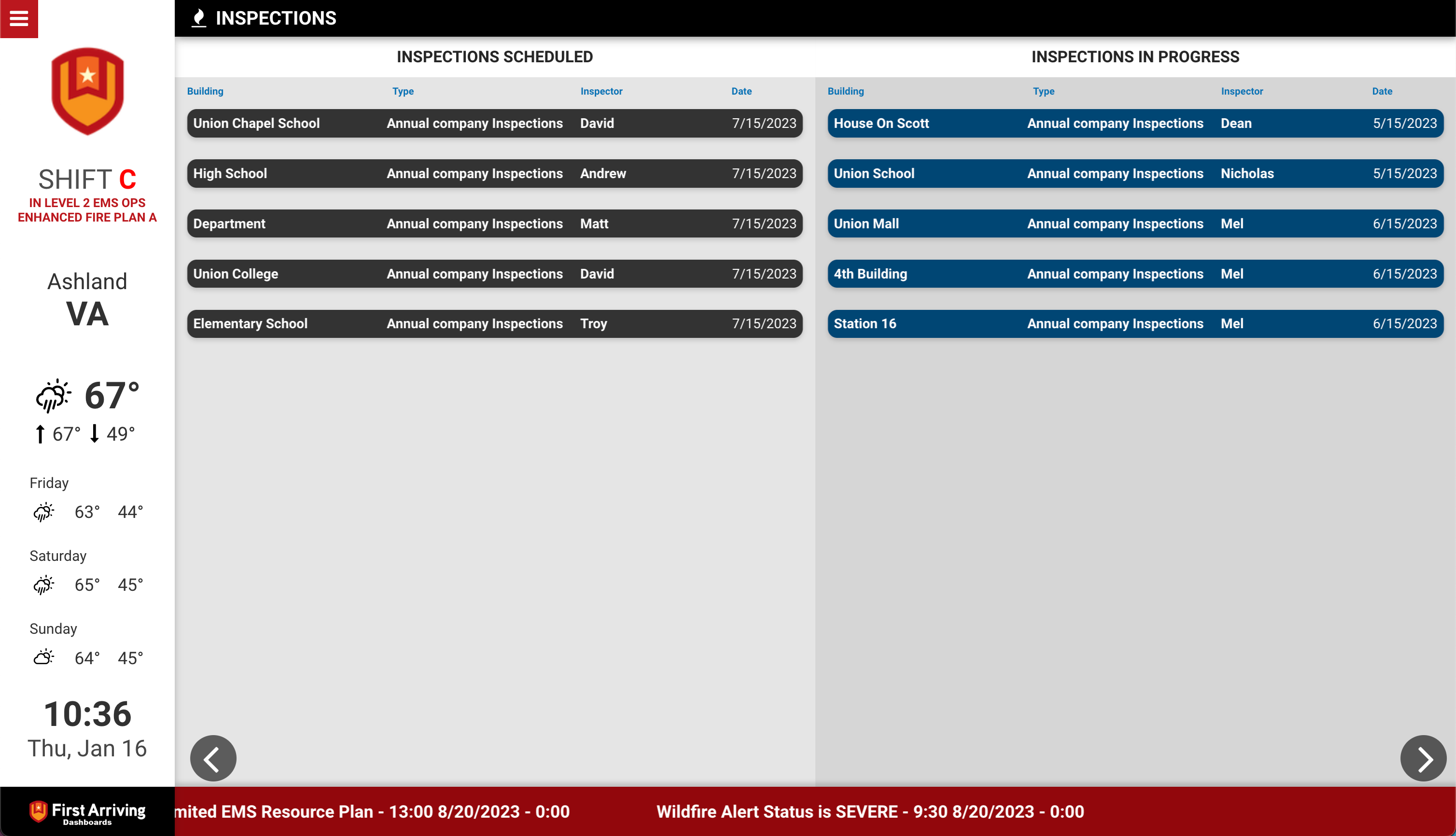
- Upcoming Inspections
- Inspection Name
- Inspector Name
- Date
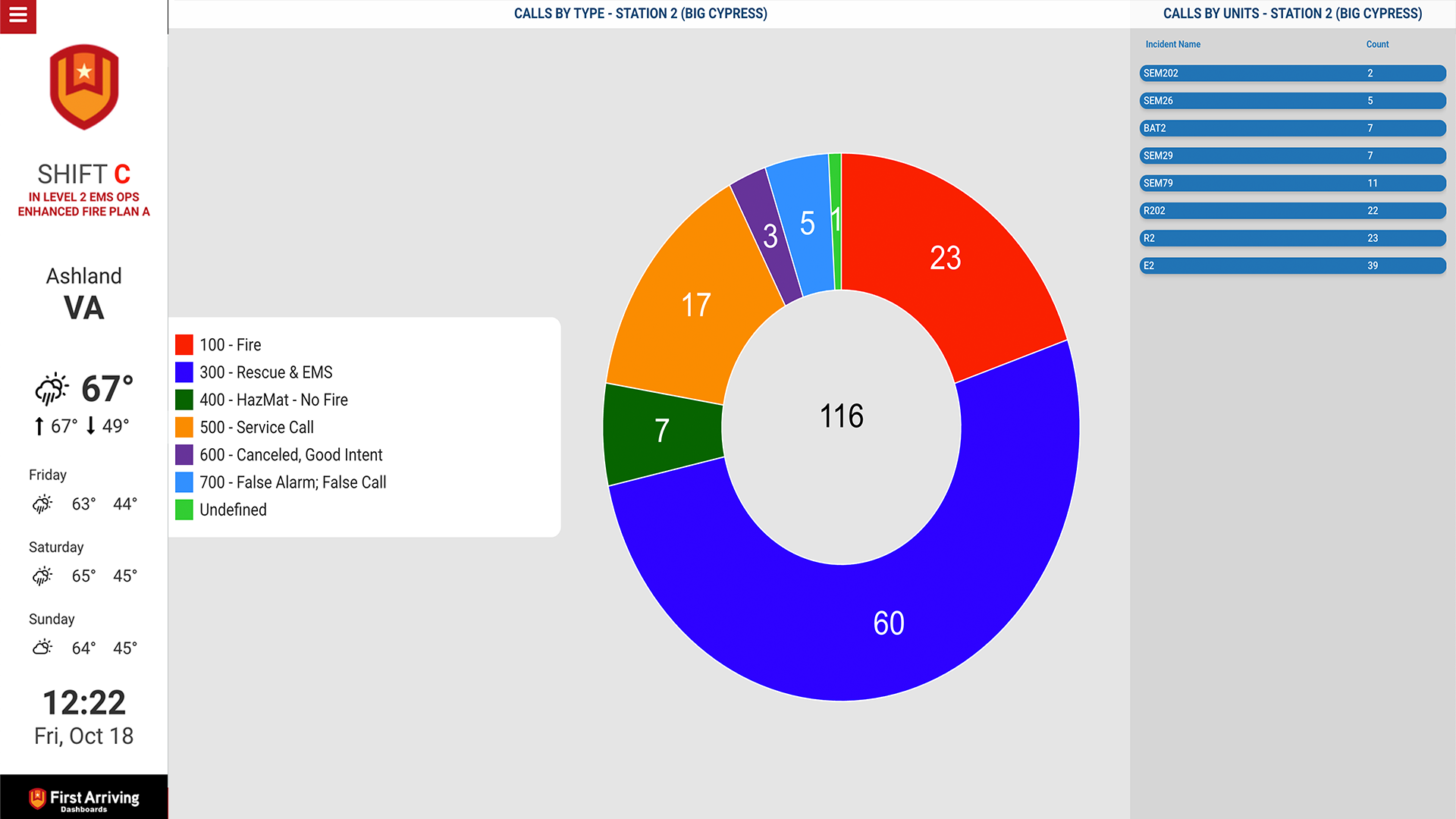
- Call Total Chart
- Shows number of calls per call type
- Pie Chart Included
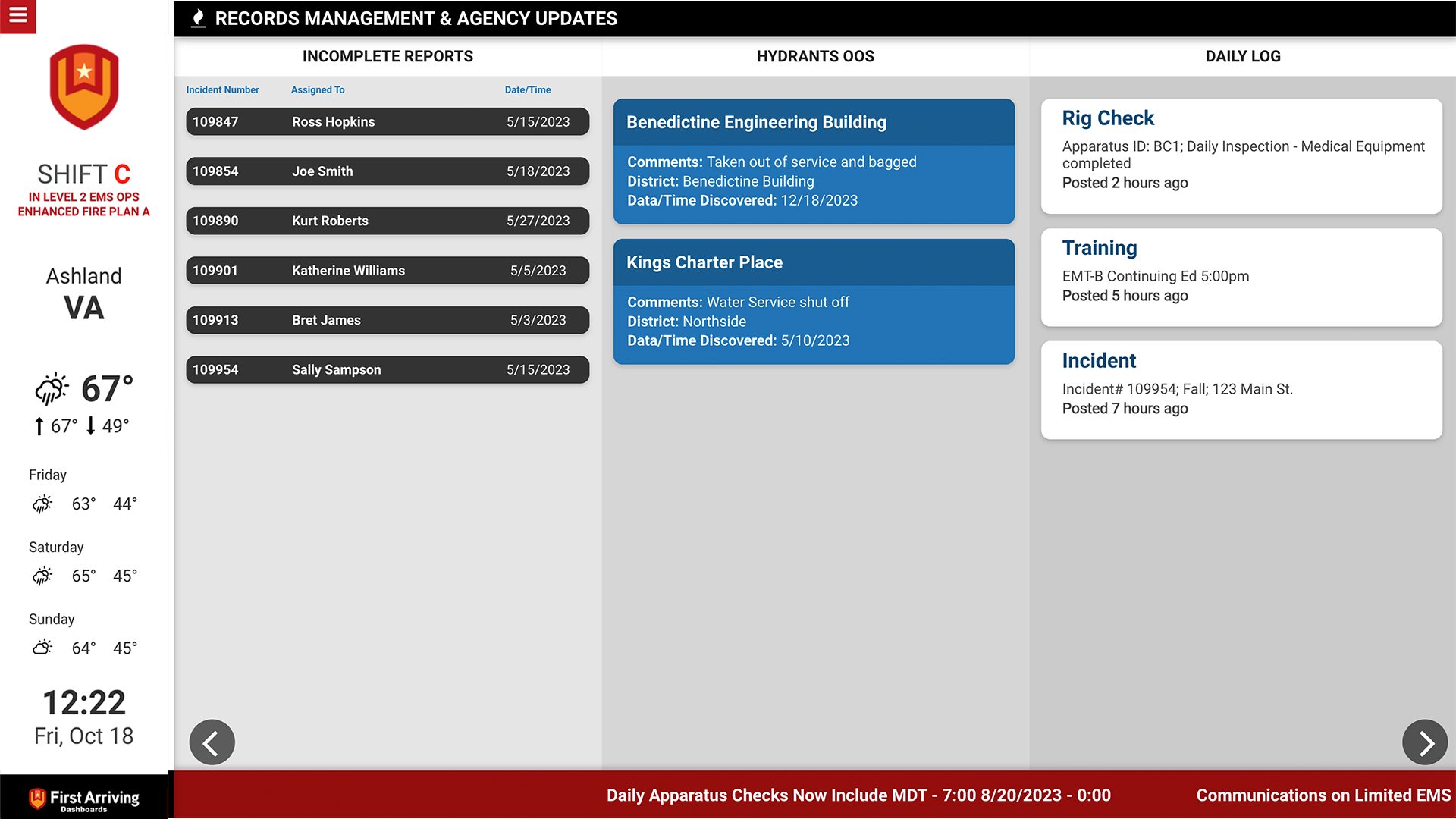
- Hydrants Out of Service
- Hydrant Name / ID
- Location
- Notes
- Equipment Maintenance
- Equipment Name / ID
- Location
- Notes
- Date and Time Reported
- Apparatus Maintenance
- Unit Name / ID
- Maintenance
- Vendor
- Date and Time Reported
- Daily Log
- Entry Details
- Date
- Incomplete Reports
- Incident Number
- Person Responsible
- Date of Incident
- Certifications Expiring
- Name
- Expiration Date
- Group the entries by Certificate Name
- Turnout Time Dial
- Displays the number of runs represented
- Percentage of acceptable turnout time against a benchmark you provide
- Calendar
- List View
- Week view
- Month View
What We Need:
- Request your API Subscription Key from your Emergency Reporting representative. Please note an API data fee might be applicable.
- Enter your Subscription key into the link provided to your by your First Arriving implementation manager.
Example of integration on First Arriving Dashboards


Was this article helpful?
That’s Great!
Thank you for your feedback
Sorry! We couldn't be helpful
Thank you for your feedback
Feedback sent
We appreciate your effort and will try to fix the article